The Observer Pattern
The Observer Pattern
🔐 Overview
The Observer pattern establishes a one-to-many relationship between objects, where:
- A subject (publisher) maintains a list of observers (subscribers)
- When the subject’s state changes, all observers are automatically notified
🧭 Contents
- Understanding the Pattern
- Implementation Guide
- Common Use Cases
- Best Practices
- Real World Examples
🔄 Understanding the Pattern
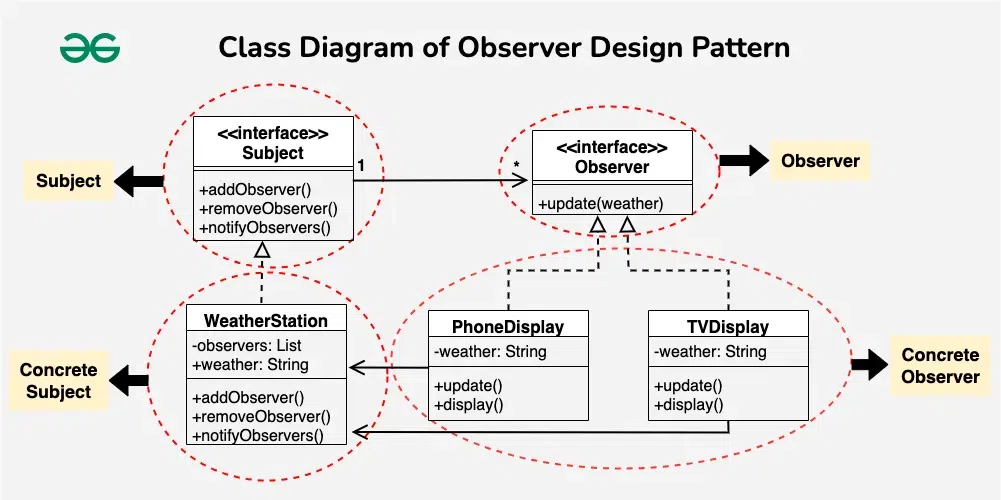
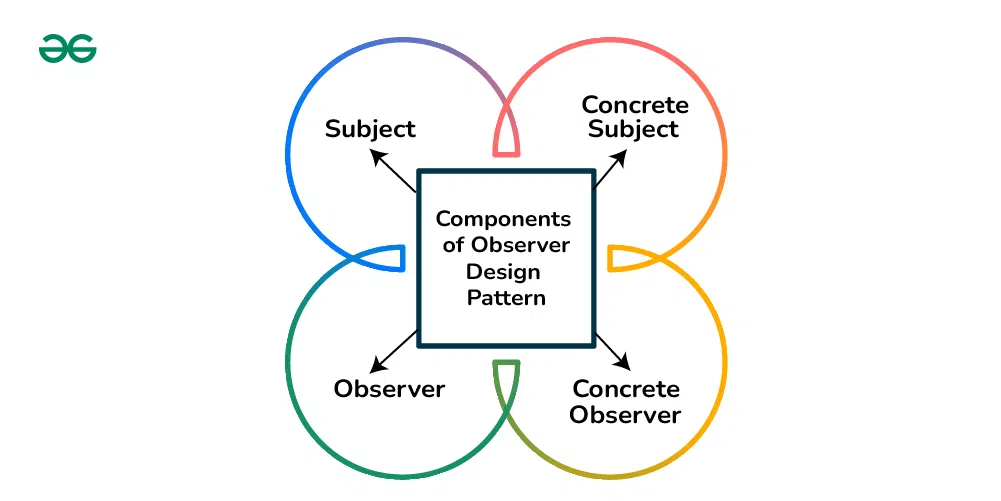
The Observer pattern consists of two main components. The diagram below illustrates how these components interact:
- Subject (Publisher)
- Maintains a list of observers
- Provides methods to add/remove observers
- Notifies observers of state changes
- Observer (Subscriber)
- Defines an interface for receiving updates
- Can subscribe/unsubscribe to subjects
- Gets updated when subject changes
🛠️ Implementation Guide
Here’s a basic implementation in Java:
The following code defines a generic Observer pattern, a behavioral design pattern commonly used to allow objects to be notified of changes in other objects. This is particularly useful for event-driven systems, data streams, or implementing pub-sub mechanisms.
Subject interface
public interface Subject<T> {
    void registerObserver(Observer<T> observer);

    void removeObserver(Observer<T> observer);

    void notifyObservers();
}
Explanation:
- registerObserver: Adds a new observer to be notified of updates.
- removeObserver: Removes an existing observer.
- notifyObservers: Notifies all registered observers of a change. The actual update data will be pushed from the concrete class implementing this interface.
Observer Interface
This interface represents any class that wishes to be notified of changes to the Subject.
public interface Observer<T> {
    void onUpdate(T update);
}
Explanation:
- onUpdate: A callback method that the subject will invoke to push updates. The generic type T allows this pattern to be reused across different data types (e.g., strings, domain objects, DTOs).
Example
You can find the example here.
public class Main {
    public static void main(String[] args) {
        WeatherStation weatherStation = WeatherStation.builder().build();
        Device deviceOne = Device.builder().deviceName("Device One").build();
        Device deviceTwo = Device.builder().deviceName("Device Two").build();

        weatherStation.registerObserver(deviceOne);
        weatherStation.registerObserver(deviceTwo);

        try {
            weatherStation.notifyObservers();
            Thread.sleep(1000);

            weatherStation.removeObserver(deviceOne);
            Thread.sleep(1000);

            weatherStation.notifyObservers();
            Thread.sleep(1000);

            weatherStation.removeObserver(deviceTwo);
        } catch (InterruptedException e) {
            Thread.currentThread().interrupt();
        }
    }
}
🚀 Common Use Cases
The Observer pattern is widely used in many scenarios:
1. User Interface Events
- Button clicks and form submissions
- Mouse movements and keyboard input
- Window resizing and scrolling events
2. System Monitoring
- Resource usage monitoring
- System health checks
- Performance metrics collection
3. Data Synchronization
- Real-time data updates
- Database change notifications
- Cache invalidation systems
4. Message Broadcasting
- Chat applications
- News feed updates
- Notification systems
5. Business Logic
- Order processing status updates
- Stock market price tracking
- Weather monitoring systems
🎯 Best Practices
- Avoid Memory Leaks
- Always provide unsubscribe mechanisms
- Clean up observer references when they’re no longer needed
- Use weak references when appropriate
- Handle Exceptions Gracefully
- Implement error handling in notification methods
- Don’t let one observer’s failure affect others
- Log errors appropriately
- Consider Threading
- Make notification methods thread-safe
- Consider using concurrent collections for observer lists
- Be aware of deadlock possibilities
- Maintain Performance
- Limit the number of observers when possible
- Keep notification logic lightweight
- Consider batch notifications for frequent updates
- Design Clear Interfaces
- Keep the observer interface focused and simple
- Use meaningful method names
- Document the expected behavior
- Manage State Changes
- Consider providing the changed state in notifications
- Avoid circular update patterns
- Implement state change validation
- Test Thoroughly
- Verify observer registration/unregistration
- Test concurrent modifications
- Check memory usage patterns
- Use Event Filtering
- Allow observers to specify interests
- Implement event categorization
- Provide selective notification mechanisms